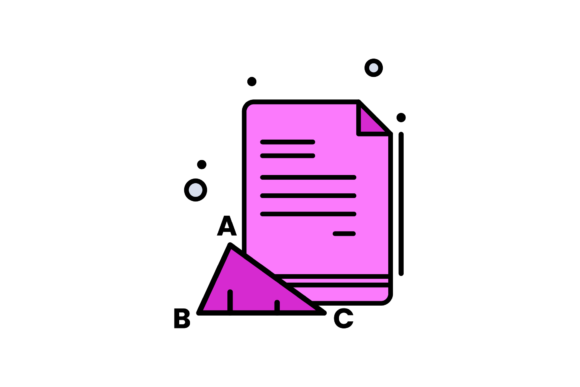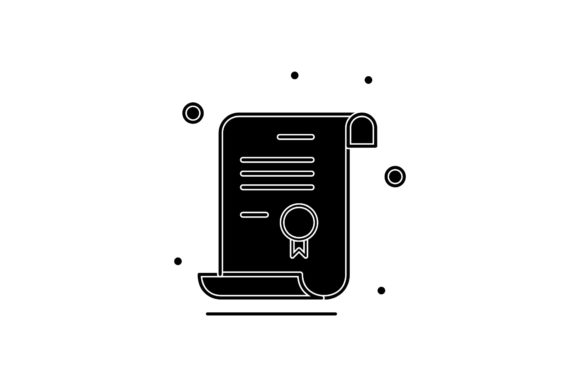
Back to School Paper Silhouette Designs
If you create educational content, classroom materials, or back-to-school marketing, finding the right visual assets can take more time than you expect. The Back to School Sheet of Paper Silhouette design offers a clean, versatile graphic that works across multiple projects without requiring custom illustration work. It gives you a ready-to-use silhouette of a classic school-themed sheet of paper that fits neatly into both digital and print workflows.
This design comes as a set of six digital files, each formatted for a different use case. Whether you build presentations, design worksheets, produce social media graphics, or create signage, having this silhouette in multiple formats saves you from needing to convert files or redraw elements later.
What the Back to School Sheet of Paper Silhouette Includes
The package contains six individual files built on a 1920-pixel by 1280-pixel canvas. You receive one file in each of these formats:
- AI (Adobe Illustrator) – fully editable vector artwork for professional design work
- EPS – compatible with many vector editing programs beyond Illustrator
- SVG – ideal for web use, responsive design, and scalable graphics
- DXF – useful for cutting machines and CAD-like applications
- JPG – standard raster image for quick placement or previews
- PNG – supports transparency for layering over backgrounds
Each file contains the same silhouette design, so you can choose the format that matches your software or output requirement without losing quality or needing to recreate the graphic.
Key Strengths of This Design Set
The main advantage of this package is format flexibility. Not every design tool accepts every file type, and if you work across multiple platforms, you have likely experienced the frustration of downloading a graphic only to find it is locked inside a format you cannot edit. With this set, you have vector options for scalable work, raster options for quick use, and DXF for physical production.
The canvas size of 1920 by 1280 pixels is also worth noting. That aspect ratio works well for widescreen presentations, YouTube thumbnails, social media headers, and standard slide decks. You get a consistent composition without needing to crop or resize before you start working.
Because the design is a silhouette, it keeps your layout clean and readable. Silhouettes work well as background elements, border accents, or layered behind text. They add a thematic touch without introducing complex colors or distracting details.
Practical Applications Across Different Environments
This design set works in more contexts than you might initially expect. Here are several realistic ways people use the Back to School Sheet of Paper Silhouette across personal, professional, educational, creative, digital, and commercial projects.
Classroom and Educational Materials
Teachers and educators can place the silhouette on worksheets, lesson plan covers, or classroom newsletters. Because the design is simple and recognizable, it signals "school" or "education" without needing extra text. If you design handouts for multiple grade levels, the silhouette provides a consistent visual theme that ties materials together across subjects.
Homeschool parents also find this useful for creating their own learning materials. You can insert the silhouette as a decorative header on a daily schedule, a reading log, or a subject divider. The PNG version with transparency lets you place it over colored paper or digital backgrounds.
Marketing and Promotional Content
If you run a tutoring service, an educational product store, or a business that targets parents and students during the back-to-school season, this silhouette gives you a ready-made visual hook. Use it on email banners, social media posts, or flyers. The SVG format works especially well for responsive web graphics, so your header or banner adjusts cleanly across devices.
For small business owners who sell school supplies, stationery, or organizational products, the silhouette can appear on product tags, packaging inserts, or promotional cards. You can scale the vector files up or down without losing sharpness, which matters when you print across different media sizes.
Digital Content Creation
Bloggers who write about education, parenting, or productivity can use the silhouette in featured images, blog post headers, or lead magnets. A clean silhouette adds context without competing with your headline. You can also use the JPG or PNG version as a simple background with reduced opacity, letting your text stand out while keeping the school theme present.
Social media managers running accounts for schools, educational nonprofits, or youth programs can pull the silhouette into Instagram posts, Facebook covers, or Pinterest pins. The 1920x1280 canvas size already aligns well with common social media dimensions after minor adjustments, so you spend less time resizing.
Freelance and Commercial Design Projects
Graphic designers and freelancers often need client-ready assets that do not require hours of custom illustration. This silhouette fits that need. You can drop it into a client's back-to-school campaign, a school website redesign, or a branded presentation for an education conference. Because you receive editable vector files, you can recolor the silhouette, adjust its position, or combine it with other elements to match a client's brand guidelines.
If you work with print shops or production teams, the DXF format opens up possibilities for physical goods. You can use the silhouette with a cutting machine to create stencils, vinyl decals, or paper cutouts for bulletin boards, window displays, or event decorations.
Personal Projects and Hobbyists
Even outside professional work, this design set has practical use. Parents creating back-to-school party invites, scrapbook pages, or custom notebooks for their kids can use the silhouette as a central design element. The ease of editing vector files means you can change the size or rotate the graphic to fit your layout exactly.
Crafters who work with cutting machines appreciate the DXF and SVG formats because they import directly into design software without needing manual tracing. You can produce consistent, clean cuts every time.
Benefits for Usability and Efficiency
One of the biggest time savers in this set is not having to search for or recreate a school-themed graphic every time you start a new project. Once you download the files, they live in your asset library and are ready to use across any tool that supports those formats.
Having both vector and raster versions also means you are not locked into one workflow. If you design in Photoshop, use the PSD-compatible PNG or JPG. If you build in Illustrator, open the AI file. If you code a website, drop in the SVG. You make one purchase and get coverage for nearly every production pipeline.
The silhouette style itself also contributes to efficiency. Because it lacks complex gradients or fine details, it renders quickly on screen, prints cleanly at various sizes, and does not introduce rendering issues on different devices or software versions.
Considerations When Choosing or Using This Design
When you evaluate this set, think about where and how you plan to use the files most often. If your work is primarily digital and web-based, the SVG and PNG formats will probably be your go-to choices. SVG gives you crisp scaling at any screen size, while PNG with transparency layers well over colored backgrounds or photos.
If you work in print, the AI and EPS files give you full control over color adjustments and scaling. You can convert the silhouette to a spot color or adjust its thickness to match your print medium. The JPG version works well for quick proofs or low-resolution drafts before you commit to a final layout.
For those using cutting machines, confirm that your software accepts DXF or SVG imports before purchasing. Most modern machines and design programs support at least one of these formats, but checking compatibility ahead of time saves frustration later.
Also consider that a silhouette is intentionally minimal. If you need a highly detailed or realistic representation of a sheet of paper, this design may be too simple for your use case. But if you want an icon-style visual that reads clearly at small sizes and blends easily into different layouts, the simplicity works in your favor.
Remember that the canvas is set to 1920 by 1280 pixels. This is a landscape orientation. If your project requires a portrait or square composition, you will need to place the silhouette inside a custom canvas rather than using the file as-is. That is straightforward with vector formats, but worth noting if you prefer a ready-to-use dimension.
Final Observations
The Back to School Sheet of Paper Silhouette set is a practical addition to any designer, educator, or content creator's asset library. It eliminates the need to draw or source a school-themed graphic from scratch, and the variety of file formats means you will likely have a compatible version no matter what software or device you use.
Whether you are preparing classroom materials, designing a back-to-school campaign, or working on a personal craft project, having a clean, scalable silhouette gives you a foundation you can build on quickly. The value is not in complexity but in readiness and reliability across multiple contexts.